NumberNr
14
Station of origin
Jared K0TFU
Date filed
Add APRS OTA to Your Home Screen
APRS OTA is installable as a web app. Add it to your home screen and it opens full screen with its own icon, no browser chrome and no address bar. It will also show up in your device’s app switcher next to everything else you run.
- iPhone and iPad. Open aprsota.org in Safari, tap the Share button, then Add to Home Screen.
- Android. Open the site in Chrome, tap the menu, then Install app.
- Desktop. Chrome and Edge put an install control at the right end of the address bar.
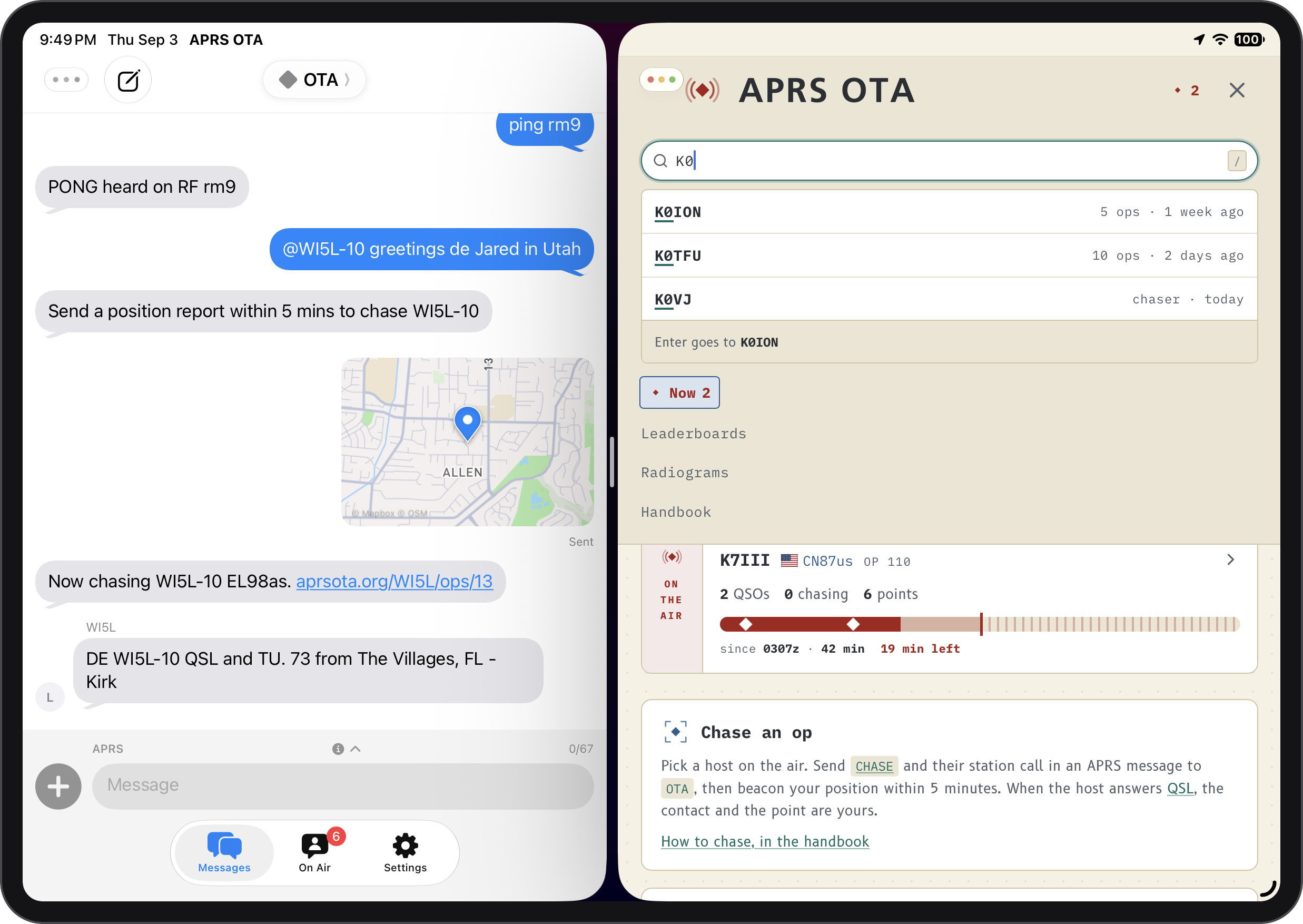
Installing this way removes the web address bar from the app. So I added
a callsign search box that shows at the top of every page.
If you have a keyboard attached to your device, press / from anywhere
to jump to the search.
Everything else
The rest of the week was small stuff, most of it from your reports.
- DONE keeps your sign-off. Whatever you type after DONE is now kept and shown on the op page and in the Discord post when the op ends. It used to be quietly thrown away.
- A copy button on the chase command. The op page shows the exact CHASE line to send. There is now a copy button beside it, which matters most on a phone, where a thumb aiming at that text used to open the handbook instead. Thanks to W1GJM and KE9FNL for asking.
- Lowercase callsigns work in URLs.
aprsota.org/k0tfulands on the same page asaprsota.org/K0TFU. - Improved op logbook. Open a contact in the logbook and the QSL card, both grid squares, and the distance are now the first thing you see, with the messages below them.
- The logbook counts countries. The logbook heading now says how many different countries called into the op.
- Pileups are visible while they are happening. A live op card on /now wears a strip saying how many stations are calling when there is a pileup. In the op logbook, the Start time is tinted blue on every row that called into a pileup.
- A straight answer when your beacons come over the internet. Hosting requires RF, and that includes your position beacon. If your HOST message arrives on RF but your beacon comes from an app over APRS-IS, OTA used to tell you no beacon was received, which was not true. It now tells you the beacon arrived on APRS-IS, so you know what to fix.
- You get told when an op ends out from under you. Chase an op and it goes off the air while you still owe a position report, and OTA now says so rather than leaving you watching a clock that stopped mattering.
For those in the US, enjoy the Labor Day weekend!
- Email: jared@k0tfu.org
- Discord: APRS OTA